SEO Optimization in Wordpress: 6 Proven Strategies That Move Rankings in 2026
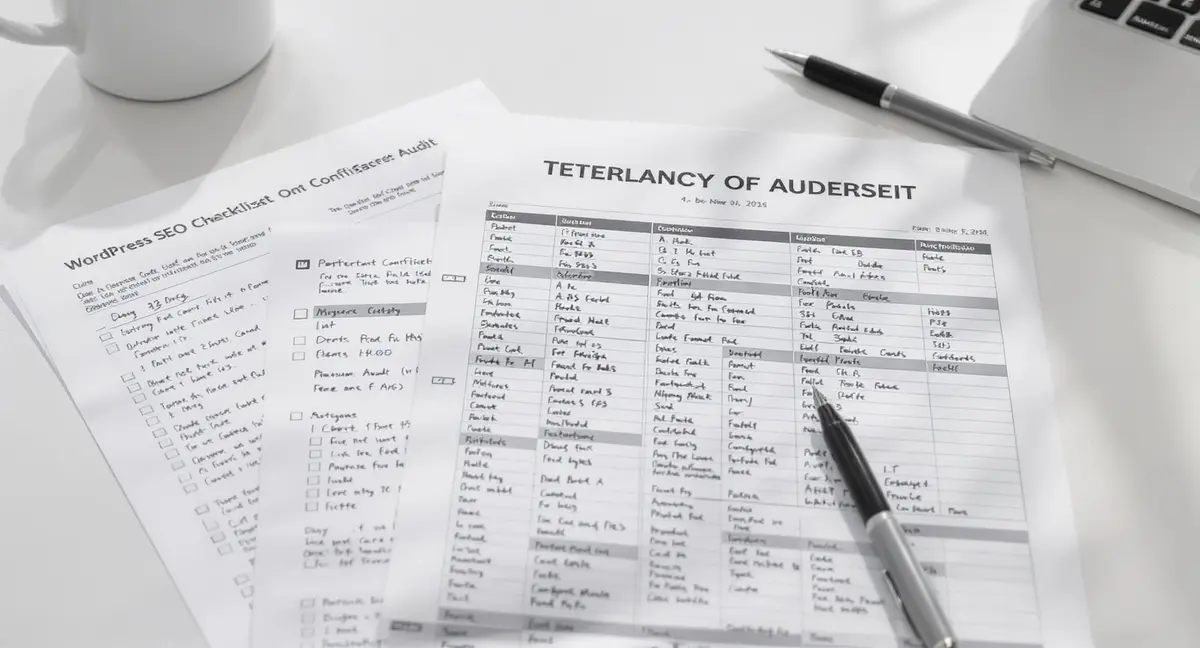
SEO optimization in WordPress is no longer about installing a plugin and hoping for the best. Google's algorithms have evolved past simple keyword matching. The March 2024 Core Update specifically targeted low-quality content, and by 2026, search engines prioritize sites that demonstrate genuine expertise and deliver measurable user value. If your WordPress site isn't ranking, the problem isn't the platform, it's how you're using it. If your content isn't structured for AI citations, you're invisible to the platforms driving the next wave of search traffic, which is why businesses are turning to AI search optimization strategies that prioritise extraction over traditional keyword targeting.
WordPress powers 43% of all websites, but most site owners treat SEO as a checklist rather than a system. They optimize titles, add meta descriptions, and wonder why traffic stalls after three months. The gap between basic optimization and sustained visibility comes down to structure, speed, and content architecture. Companies that blog consistently get 55% more website visitors than those that don't, according to HubSpot's 2024 State of Marketing report. But publishing alone won't cut it. Your content needs to be discoverable by Google, AI search platforms like ChatGPT and Perplexity, and voice assistants.
This article breaks down six strategies that address the structural, technical, and content-layer challenges holding WordPress sites back. You'll see how to configure WordPress for long-term visibility, optimize for AI search citations, and build a content system that compounds rather than decays.
Why WordPress SEO Fails Without Proper Configuration
WordPress is SEO-friendly out of the box, but "friendly" doesn't mean optimized. The platform gives you clean URLs, semantic HTML, and mobile-responsive themes by default. What it doesn't give you is a strategy for how search engines interpret your site structure, or how AI models decide whether to cite your content in an answer.
Most WordPress sites fail at SEO because they treat optimization as a one-time setup task. You install an on-page SEO plugin, fill in a few fields, and assume the work is done. But Google's ranking factors extend far beyond meta tags. Core Web Vitals, Largest Contentful Paint, Interaction to Next Paint, and Cumulative Layout Shift, are confirmed ranking signals. Sites that load in under 2.5 seconds see 70% lower bounce rates than those taking 5+ seconds, according to Google's own performance data.
The Plugin Trap: Why Tools Alone Don't Fix Visibility
On-page SEO plugins handle technical basics like XML sitemaps, canonical tags, and schema markup. They're necessary infrastructure. But they don't write your content, structure your site, or decide which pages deserve internal links. A plugin can tell you that your keyword density is too low or your meta description is too long. It can't tell you whether your content answers the search intent behind the query.
The real issue is that plugins optimize individual pages in isolation. SEO optimization in WordPress requires thinking in systems, how your homepage connects to category pages, how category pages link to posts, how posts reference each other to build topical authority. Search engines rank sites, not just pages. If your site architecture is flat or your internal linking is random, no plugin will fix that.
What Google Actually Evaluates on WordPress Sites
Google's ranking algorithm evaluates hundreds of signals, but the ones that matter most for WordPress sites fall into three categories: technical performance, content quality, and topical authority. Technical performance includes page speed, mobile usability, and crawlability. Content quality is measured through user engagement metrics, time on page, bounce rate, and whether users return to search results after visiting your site. Topical authority comes from how comprehensively you cover a subject and how well your internal linking demonstrates expertise.
Sites with original research get four times more backlinks than those without, according to Backlinko's analysis of 11.8 million search results. But original research doesn't mean conducting surveys. It means publishing content that provides unique value, data comparisons, case breakdowns, or frameworks that readers can't find elsewhere. SEO optimization in WordPress starts with understanding what makes your content worth citing, then building the technical foundation to make it discoverable.
Site Structure and Information Architecture for SEO
WordPress gives you posts, pages, categories, and tags. How you use them determines whether search engines see your site as an authoritative resource or a scattered blog. Most site owners treat categories as filing cabinets, places to dump posts so they're not all on the homepage. But categories are your primary tool for building topical clusters that signal expertise to Google.
A well-structured WordPress site uses pages for evergreen content (services, about, contact), posts for time-sensitive or educational content, and categories to group posts into thematic hubs. Each category should have 8-15 posts minimum to justify its existence. Thin categories with 2-3 posts dilute your authority and create crawl inefficiencies. Tags should be used sparingly, if at all, they create duplicate content issues when tag archives rank alongside category archives for the same keywords. The shift from plugin-based optimisation to AI-optimised content systems represents a fundamental change in how WordPress sites build visibility, which is why AI SEO WordPress strategies focus on owned content that compounds rather than rented traffic that decays.
Building Topic Clusters in WordPress
Topic clusters are the modern approach to SEO content strategy. Instead of publishing isolated articles targeting individual keywords, you create a pillar page that covers a broad topic comprehensively, then link to cluster posts that dive deep into subtopics. For example, a pillar page on "WordPress performance optimization" might link to cluster posts on image compression, caching strategies, database cleanup, and CDN configuration.
WordPress makes this structure easy to implement using categories and internal links. Your pillar page should be a WordPress page (not a post) so it sits outside your blog archive. Each cluster post should link back to the pillar page and to related cluster posts. This internal linking pattern tells search engines that your site has depth on the topic, which improves rankings for both the pillar and cluster content. According to Search Engine Journal, internal linking can improve rankings by 40% when done strategically.
Handling Pagination, Archives, and Duplicate Content
WordPress automatically generates archive pages for categories, tags, authors, and dates. These archives can create duplicate content issues if not managed properly. Your category archive might show the same post excerpt that appears on your homepage, your author archive, and a tag archive. Google sees four pages with nearly identical content and has to decide which one to rank.
The solution is to use canonical tags to point duplicate archives back to the primary version, and to set pagination pages (page 2, page 3, etc.) as noindex. Most on-page SEO plugins handle this automatically, but you should verify in Google Search Console that archive pages aren't competing with your actual content. For large sites with hundreds of posts, consider disabling date-based and author archives entirely unless they serve a clear user need.
Technical SEO Foundations That WordPress Doesn't Handle Automatically
WordPress gives you clean code and semantic HTML, but it doesn't optimize images, minify CSS, or configure caching. These performance tasks directly impact Core Web Vitals, which Google uses as ranking signals. A site that scores poorly on Largest Contentful Paint or Cumulative Layout Shift will rank lower than a faster competitor, even if the content is better.
The gap between a default WordPress install and a technically optimized site comes down to three areas: page speed, mobile performance, and crawl efficiency. Page speed affects both rankings and conversions, a one-second delay in load time reduces conversions by 7%, according to Akamai's performance research. Mobile performance matters because Google uses mobile-first indexing, meaning it evaluates your site based on the mobile version even if most of your traffic comes from desktop. Crawl efficiency determines how quickly Google discovers and indexes new content.
Core Web Vitals and WordPress Performance
Core Web Vitals measure three aspects of user experience: loading speed (Largest Contentful Paint), interactivity (Interaction to Next Paint), and visual stability (Cumulative Layout Shift). WordPress sites commonly fail on LCP because of unoptimized images and render-blocking JavaScript. They fail on CLS because of ads, embeds, or images without defined dimensions that cause layout shifts as the page loads.
Fixing Core Web Vitals in WordPress requires a combination of caching, image optimization, and code cleanup. Caching plugins generate static HTML versions of your pages so the server doesn't have to rebuild them on every visit. Image optimization plugins compress files and serve next-gen formats like WebP. Code optimization involves minifying CSS and JavaScript, deferring non-critical scripts, and removing unused code. These changes can improve LCP by 40-60% and reduce CLS to near zero.
Mobile Optimization Beyond Responsive Themes
A responsive theme adapts your layout to different screen sizes, but that doesn't make your site mobile-optimized. Mobile users expect pages to load in under three seconds. They expect tap targets to be large enough to click without zooming. They expect text to be readable without horizontal scrolling. Google's mobile-first index penalizes sites that fail these usability tests, even if the desktop version is perfect. Core Web Vitals, crawl efficiency, and mobile performance aren't optional extras, they're the foundation that determines whether your content gets indexed and ranked, which is why technical SEO WordPress configuration matters as much as the content itself.
Mobile optimization in WordPress starts with choosing a lightweight theme that doesn't load unnecessary scripts or styles. Avoid page builders that generate bloated HTML and inline CSS. Test your site on real mobile devices, not just browser emulators, to catch issues like small fonts, overlapping elements, or pop-ups that cover the entire screen. According to Google's mobile usability guidelines, 53% of mobile users abandon sites that take longer than three seconds to load.
Content Optimization for Google and AI Search Platforms
SEO optimization in WordPress used to mean writing for Google. In 2026, you're writing for Google, ChatGPT, Perplexity, Google AI Overviews, and voice assistants. These platforms use different ranking signals, but they all prioritize content that is factually dense, well-structured, and easy to extract. If your content doesn't meet these criteria, it won't get cited in AI-generated answers, and AI search is where the traffic is moving.
Fifty percent of Google queries now trigger AI Overviews, causing a 61% drop in organic click-through rates for traditional results, according to DemandSage's 2025 analysis. But early adopters of AI search optimization are seeing 120x impression increases and 800% year-over-year traffic growth from large language models, per enterprise SEO platform research. The difference comes down to how content is structured and whether it includes the signals AI models use to determine authority.
Writing Content That AI Models Cite
AI search platforms like ChatGPT and Perplexity cite sources that provide clear, factual answers with minimal interpretation required. They favor content with named sources, specific data points, and section-based formatting that makes extraction easy. A study from Princeton and Georgia Tech published at KDD 2024 found that structured content with schema markup and FAQ sections improves AI visibility by 30-40% compared to unstructured prose.
To optimize for AI citations, structure your WordPress content with clear H2 and H3 headings that answer specific questions. Include at least one cited statistic or data point per major section. Use FAQ blocks to provide direct answers to common queries. Add schema markup for articles, FAQs, and how-to content so AI models can parse your content more easily. Platforms like Strategyc take this approach by installing owned content systems that produce structured, AI-optimized articles designed to get cited in ChatGPT, Perplexity, and Google AI Overviews.
Keyword Strategy for WordPress Content
Keyword research in WordPress isn't just about finding high-volume search terms. It's about mapping keywords to the right content types and understanding search intent. Informational keywords belong in blog posts. Transactional keywords belong on service or product pages. Navigational keywords belong on your homepage or about page. Mixing these up confuses both users and search engines.
Use Google Keyword Planner or similar keyword research tools to identify primary and secondary keywords for each piece of content. Your primary keyword should appear in the title, first paragraph, at least two H2 headings, and the conclusion. Secondary keywords should appear naturally throughout the body. But don't over-optimize, keyword stuffing triggers spam filters and makes content unreadable. Aim for 0.4-0.8% keyword density, which means using your primary keyword 4-8 times per 1,000 words.
Ready to take the next step with Strategyc?
Our team is ready to help you achieve your goals. Get Your Free Scan.
Building an Owned Content System vs Renting Visibility
Most businesses approach SEO optimization in WordPress as a service they buy monthly. They hire an agency, pay $1,500-$5,000 per month, and hope for results. When the retainer ends, so does the work. That's not ownership, that's rent. And according to Firework's 2025 marketing survey, only 8% of marketers feel confident they can measure ROI from their SEO spend. WordPress gives you clean URLs and semantic HTML by default, but turning those foundations into sustained visibility requires understanding how to configure the platform for long-term performance, which is what makes SEO friendly WordPress sites different from those that simply install a plugin and hope.
The alternative is building a content system you own. This means installing the infrastructure, workflows, templates, optimization processes, on your WordPress site so you can produce optimized content consistently without ongoing agency dependency. It means understanding which metrics matter (organic sessions, conversion rate, revenue per visitor) and tracking them in Google Analytics. It means having a publishing calendar, a content approval process, and a distribution strategy that doesn't rely on someone else's platform.
What an Owned Content System Looks Like
An owned content system starts with a WordPress site optimized for performance and crawlability. It includes documented processes for keyword research, content creation, on-page optimization, and internal linking. It uses templates and checklists to ensure consistency across all published content. And it integrates with analytics tools so you can measure what's working and adjust accordingly.
The system should be designed to produce content that performs 12-plus months after publication. That means evergreen topics, thorough coverage, and regular updates to keep information current. It means building topic clusters that reinforce each other through internal links. And it means optimizing for both traditional search and AI search platforms so your content gets cited in ChatGPT answers, Perplexity responses, and Google AI Overviews.
Measuring What Actually Matters
Most WordPress site owners track vanity metrics, page views, bounce rate, time on site, without connecting them to business outcomes. The metrics that matter are organic sessions (how many people find you through search), conversion rate (how many take a desired action), and revenue per visitor (how much value each visitor generates). If organic sessions are growing but conversions are flat, your traffic is low-intent. If conversions are high but sessions are low, you need more visibility.
Set up goal tracking in Google Analytics to measure conversions, form submissions, phone calls, purchases, whatever action drives your business. Use Google Search Console to monitor which queries drive traffic and which pages rank. Track keyword rankings for your primary topics to see if you're gaining or losing ground. And review this data monthly to identify patterns. SEO leads have a 14.6% close rate compared to 1.7% for outbound leads, according to Search Engine Journal, but only if you're tracking the right metrics.
Want to see where your WordPress site stands in Google, AI search, and voice search right now? to get a clear assessment of your current visibility, no commitment, no pressure.
Advanced WordPress SEO Tactics for Competitive Markets
Basic SEO optimization in WordPress gets you in the game. Advanced tactics give you an edge in competitive markets where dozens of sites are targeting the same keywords. These tactics include schema markup for rich results, strategic internal linking to distribute authority, and content refreshes to maintain rankings over time.
Schema markup is structured data that helps search engines understand your content. It enables rich results like FAQ snippets, how-to carousels, and review stars in search results. Pages with schema markup get 30% higher click-through rates than those without, according to research from Search Engine Land. WordPress makes schema implementation easy through plugins or custom code in your theme's functions file.
Using Schema Markup for Rich Results
The most valuable schema types for WordPress sites are Article, FAQPage, HowTo, and LocalBusiness. Article schema tells Google which content is a blog post or news article, improving eligibility for Top Stories and Discover. FAQPage schema enables FAQ snippets that appear directly in search results, often above the first organic result. HowTo schema creates step-by-step carousels that dominate mobile search results. LocalBusiness schema helps local businesses appear in map packs and local search results.
Most on-page SEO plugins include schema markup options, but they're often limited to basic Article schema. For more control, use a dedicated schema plugin or add custom JSON-LD code to your theme. Test your schema implementation using Google's Rich Results Test tool to ensure it's valid and eligible for rich results. Schema won't directly improve rankings, but it increases visibility and click-through rates, which indirectly boosts rankings over time. Most site owners treat SEO as a checklist rather than a system, which is why SEO expert WordPress strategies focus on structure, internal linking, and topical authority instead of isolated page optimisation.
Internal Linking Strategy for Authority Distribution
Internal links are how you tell search engines which pages on your site are most important. Every link passes a small amount of authority (PageRank) from the linking page to the linked page. Strategic internal linking concentrates authority on your most valuable pages, pillar content, service pages, high-converting landing pages, while distributing enough authority to supporting content to help it rank.
The most effective internal linking pattern for WordPress is a hub-and-spoke model. Your homepage links to category pages (hubs). Category pages link to individual posts (spokes). Posts link back to their category page and to related posts within the same category. This creates clear topical clusters that search engines can easily understand. Avoid random internal linking where every post links to every other post, it dilutes authority and confuses crawlers. According to Moz's research, strategic internal linking can improve rankings by 20-40% for competitive keywords.
The Bottom Line on WordPress SEO in 2026
SEO optimization in WordPress is no longer a plugin-and-forget task. The platform gives you the foundation, but sustained visibility requires technical optimization, strategic content architecture, and a publishing system that produces AI-optimized content consistently. Sites that treat SEO as infrastructure they own outperform those that rent visibility through monthly agency retainers.
The businesses winning in search right now are optimizing for both Google and AI search platforms. They're building topic clusters, implementing schema markup, and producing content that AI models cite in answers. They're measuring what matters, organic sessions, conversion rates, revenue per visitor, and adjusting based on data. And they're doing it with systems they control, not services they rent.
If your WordPress site isn't ranking, the problem isn't the platform. It's the absence of a system designed to produce compounding visibility over time. Fix the technical foundation, build content clusters around your core topics, and optimize for the search platforms that matter in 2026, Google, ChatGPT, Perplexity, and voice assistants. The businesses that do this now will own their market's visibility for years.
Frequently Asked Questions
How long does SEO optimization in WordPress take to show results?
Most WordPress sites see initial ranking improvements within 3-4 months, with meaningful traffic growth at 6-12 months. SEO is a compounding system, early content builds authority that helps later content rank faster. Competitive markets take longer, but consistent publishing and technical optimization accelerate results.
Can I handle WordPress SEO in-house without hiring an agency?
Yes, if you build the right infrastructure. You need documented processes for keyword research, content creation, on-page optimization, and performance tracking. Most businesses fail at in-house SEO because they lack systems, not skills. Install the workflows, templates, and measurement tools first, then execute consistently.
What's the difference between optimizing for Google vs AI search platforms?
Google prioritizes backlinks, domain authority, and user engagement signals. AI platforms like ChatGPT and Perplexity prioritize factual density, structured formatting, and cited sources. Optimize for both by including named sources, using schema markup, and structuring content with clear headings and FAQ sections that AI models can extract.
How do I measure ROI from WordPress SEO efforts?
Track organic sessions in Google Analytics, conversion rate for organic traffic, and revenue per organic visitor. Compare the cost of producing content (time or outsourcing) to the revenue generated from organic conversions. SEO compounds over time, content published 12 months ago should still drive traffic and conversions today.
Do I need to keep paying for SEO services to maintain rankings?
No, if you own the infrastructure. Rankings require ongoing content updates and technical maintenance, but you don't need a monthly retainer to do this. Build a publishing system you control, document your processes, and maintain your site quarterly. Services end when you stop paying. Systems keep producing results.