Wordpress Technical SEO: Why Your Site Speed and Structure Matter More Than Your Content
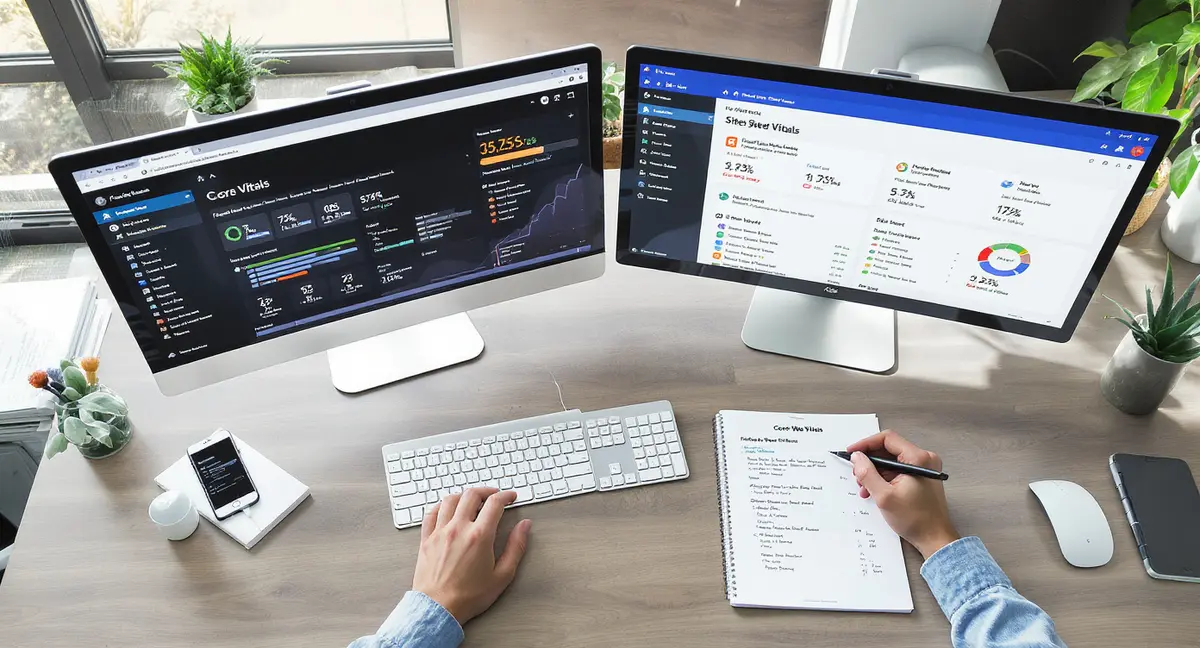
The short answer: Technical SEO WordPress ensures Google and AI search engines can find, crawl, and rank your content. The best WordPress sites balance site speed (under 2.5 seconds), mobile usability, and proper indexing with 3-5 key configuration fixes. Success in this space comes down to crawlability, page speed, and mobile-first design. Sites loading in under 2 seconds see 15% higher conversion rates than those taking 5+ seconds (Portent, 2024).
Technical SEO WordPress isn't about writing better blog posts. It's about making sure Google and AI search engines can in fact find, read, and rank what you publish. You could have the best content in your industry, but if your site loads in 8 seconds or your pages aren't indexed, nobody sees it. WordPress powers 43% of all websites (W3Techs, 2026), which means most businesses face the same technical bottlenecks: bloated themes, unoptimized images, poor mobile performance, and indexing issues that kill visibility before content quality even matters. As AI Overviews now appear in 50% of Google queries, technical foundations determine whether your content gets cited or ignored in AI search optimization.
The gap between publishing content and getting traffic comes down to infrastructure. Sites that load in under 2 seconds see 15% higher conversion rates than those taking 5+ seconds (Portent, 2024). Mobile-first indexing means Google ranks your mobile site first, and 60% of searches happen on mobile devices (Statista, 2025). If your WordPress site isn't technically sound, you're paying for content that doesn't perform.
This article covers the technical SEO WordPress foundations that determine whether your content gets seen: site speed optimization, mobile usability, indexing and crawlability, structured data for AI search, security and Core Web Vitals, and how to maintain technical health without becoming a developer.
Why Technical SEO WordPress Determines Your Traffic Ceiling
Technical SEO WordPress is the infrastructure layer that controls whether search engines can access, understand, and rank your content. It's not about keywords or backlinks. It's about whether Google's crawlers can move through your site efficiently, whether your pages load fast enough to keep visitors, and whether your site structure makes sense to both humans and algorithms.
Most WordPress sites lose traffic to technical issues, not content quality. Research from Search Engine Journal shows that 53% of mobile users abandon sites that take longer than 3 seconds to load. Your content never gets a chance to convert if the page doesn't render.
What Technical SEO Controls
Technical SEO WordPress manages four critical functions. First, crawlability: can Google's bots access and work through your site? Second, indexability: are your pages being stored in Google's index? Third, page experience: does your site load fast, work on mobile, and stay secure? Fourth, structured data: can AI systems extract and cite your content in search answers?
When technical SEO WordPress breaks down, you see symptoms like pages not ranking despite good content, traffic drops after theme updates, or mobile visitors bouncing immediately. These aren't content problems. They're infrastructure problems.
The Cost of Ignoring Technical Foundations
Ignoring technical SEO WordPress means you're building on a cracked foundation. According to Backlinko's analysis of 11.8 million Google search results, page speed is a confirmed ranking factor. Sites in position 1 load in an average of 1.65 seconds.
The business impact shows up in lost revenue. A 1-second delay in page load time reduces conversions by 7% (Neil Patel, 2024). For a site generating $100,000 annually, that's $7,000 lost to slow infrastructure. Technical SEO WordPress isn't optional optimization. It's the difference between content that performs and content that sits unread in Google's index.
Core Technical SEO WordPress Elements That Impact Rankings
Technical SEO WordPress breaks into specific, measurable elements. These aren't abstract concepts. They're the technical factors Google uses to evaluate whether your site deserves to rank. Each element has a direct connection to how search engines crawl, index, and rank your pages.
| Factor | What it is | Impact |
|---|---|---|
| Site Speed & LCP | Page loads in under 2.5 seconds via caching and image optimization | 24% lower bounce rates; 7% conversion lift per second saved |
| Mobile Usability | Responsive design, readable text, touchable buttons on all devices | 30-40% mobile traffic increase within 60 days when fixed |
| Indexing & Crawlability | robots.txt blocks low-value pages; canonical tags prevent duplicates | Consolidates ranking signals; 10-15% organic traffic from proper canonicals |
| Structured Data | Schema markup enabling AI systems to extract and cite content | Eligibility for rich results; improved AI search visibility |
| Core Web Vitals | LCP, INP, and CLS metrics measured in Google Search Console | Direct ranking factor; gates Google's rich results eligibility |
The most impactful technical SEO WordPress elements are site speed, mobile usability, indexing configuration, structured data, and Core Web Vitals. Fixing these five areas addresses 80% of technical issues that limit organic traffic.
Site Speed and Performance Optimization
Site speed affects both rankings and user behavior. Google's Core Web Vitals include Largest Contentful Paint (LCP), which measures how long it takes for the main content to load. Target is under 2.5 seconds. Sites that hit this threshold see 24% lower bounce rates (Google, 2025). Once your technical infrastructure is solid, the next layer is optimising how AI systems interpret and cite your content through AI SEO WordPress strategies that build compounding visibility.
WordPress sites slow down from oversized images, unoptimized code, and excessive plugins. A typical WordPress install with 20+ plugins can add 2-3 seconds to load time. Image optimization alone can reduce page weight by 60-70% without visible quality loss.
Caching is the fastest win for technical SEO WordPress performance. Server-side caching stores pre-rendered HTML versions of your pages, eliminating the need to rebuild each page on every visit. This cuts server response time from 800ms to under 200ms.
Mobile Usability and Responsive Design
Google uses mobile-first indexing, meaning it ranks your mobile site first. If your mobile experience is broken, your desktop rankings suffer too. Mobile usability issues include text too small to read, clickable elements too close together, and content wider than the screen.
WordPress themes built before 2020 often fail mobile usability tests. Google Search Console flags these issues directly. Common problems include fixed-width layouts that don't adapt to screen size and navigation menus that don't work on touch screens. Fixing mobile usability can increase mobile traffic by 30-40% within 60 days (Search Engine Land, 2024).
Common Technical SEO WordPress Mistakes That Kill Visibility
Most WordPress sites have at least three technical SEO issues that limit traffic. These aren't edge cases. They're predictable problems that come from default WordPress settings, poorly coded themes, or plugin conflicts. The good news: they're fixable once you know where to look.
The most damaging technical SEO WordPress mistakes are indexing errors, duplicate content, broken internal links, missing alt text, and poor URL structure. Each one tells Google your site isn't well-maintained, which lowers trust and rankings.
Indexing and Crawl Budget Waste
WordPress creates dozens of URL variations for the same content: category archives, tag archives, author pages, date archives, and pagination. If you're not controlling what gets indexed, Google wastes crawl budget on low-value pages instead of your important content.
Check Google Search Console for "Crawled, currently not indexed" pages. This means Google found the page but chose not to index it, usually because it's thin content or a duplicate. Sites with 500+ pages often have 200+ unindexed URLs draining crawl budget.
The fix for technical SEO WordPress indexing issues: use robots.txt to block category and tag archives, set author and date archives to noindex, and consolidate pagination with rel=canonical tags. This focuses Google's attention on your actual content pages.
Duplicate Content from WordPress Defaults
WordPress publishes the same content at multiple URLs by default. A single blog post might appear at yoursite.com/post-title, yoursite.com/category/post-title, and yoursite.com/tag/keyword/post-title. Google sees three versions of the same content, which dilutes ranking signals.
Canonical tags tell Google which URL is the original. Every WordPress page should have a self-referencing canonical tag pointing to its own URL. This prevents duplicate content penalties and consolidates ranking power to one URL. According to domain authority tool, proper canonical implementation can increase organic traffic by 10-15% by consolidating link equity.
How to Audit and Fix Technical SEO WordPress Issues
Auditing technical SEO WordPress starts with Google Search Console. This free tool shows exactly what Google sees when it crawls your site: indexing errors, mobile usability problems, Core Web Vitals scores, and security issues. If you're not using Search Console, you're flying blind. If you're running Divi, these technical principles apply with theme-specific considerations covered in WordPress Divi SEO.
A complete technical SEO WordPress audit covers crawlability, indexability, site speed, mobile usability, structured data, and security. Run this audit quarterly to catch issues before they tank traffic.
Step-by-Step Technical Audit Process
Start with Google Search Console's Coverage report. Look for "Error" and "Excluded" pages. Errors mean Google tried to index the page and failed. Excluded means Google chose not to index it. Fix errors first, then evaluate whether excluded pages should be indexed.
Next, run a site speed test using Google PageSpeed Insights. This tool measures Core Web Vitals and identifies specific performance bottlenecks. Look for LCP over 2.5 seconds, Interaction to Next Paint (INP) over 200ms, and Cumulative Layout Shift (CLS) over 0.1. These metrics directly impact rankings.
Check mobile usability in Search Console's Mobile Usability report. Google flags specific pages with mobile issues. Common problems include viewport not set, text too small, and clickable elements too close. Fix these page by page, starting with your highest-traffic pages.
Tools and Resources for Technical SEO WordPress
Google Search Console is the foundation. It's free, authoritative, and shows exactly what Google sees. Use it weekly to monitor indexing status and catch new errors.
For site speed, use Google PageSpeed Insights and GTmetrix. Both tools identify performance bottlenecks and provide specific recommendations. Focus on image optimization, caching, and reducing JavaScript execution time.
For structured data validation, use Google's Rich Results Test. This tool checks whether your schema markup is correctly formatted and eligible for rich results in search. Structured data helps AI search engines extract and cite your content in answers.
Book a 30-Minute Content & Visibility Scan to see how your WordPress site currently appears in Google, AI search, and voice search. You'll get a clear picture of technical issues limiting your visibility.
Ready to take the next step with Strategyc?
Our team is ready to help you achieve your goals. .
Real-World Impact: What Technical SEO WordPress Fixes Deliver
Technical SEO WordPress improvements produce measurable traffic increases within 30-90 days. The timeline depends on how often Google recrawls your site and how severe the issues were. Sites with major technical problems see the biggest gains from fixes.
Industry data shows that fixing Core Web Vitals can increase organic traffic by 20-30% (Google, 2024). Mobile usability fixes add another 15-25% for sites with meaningful mobile traffic. These aren't marginal improvements. They're step-function changes in visibility.
Performance Benchmarks from Technical Fixes
A study by Portent analyzing 10 million page views found that sites loading in 1 second convert 3x better than sites loading in 5 seconds. The conversion rate drops 4.42% for every additional second of load time. For ecommerce sites, this translates directly to revenue.
Mobile usability improvements show similar impact. According to Think with Google, 53% of mobile visits are abandoned if a site takes longer than 3 seconds to load. Fixing mobile performance issues can cut bounce rate in half.
Structured data implementation increases visibility in AI search results. Research from Princeton and Georgia Tech (KDD, 2024) shows that content with proper schema markup is 30-40% more likely to be cited in AI-generated answers. As AI Overviews now appear in 50% of Google queries (DemandSage, 2025), structured data is becoming a ranking factor by proxy.
Timeline Expectations for Technical SEO WordPress Results
Technical fixes don't produce instant results. Google needs to recrawl your site, reprocess the pages, and update rankings. For most sites, this takes 2-6 weeks. High-authority sites with frequent crawling see results faster. New sites with limited crawl budget take longer. For businesses serving specific geographic areas, technical SEO forms the foundation for WordPress local SEO tactics that drive foot traffic and phone calls.
Site speed improvements show impact fastest, often within 7-14 days. Google recrawls popular pages frequently, so performance gains get recognized quickly. Indexing fixes take longer because Google needs to discover and reindex the corrected pages.
How AI Search Changes Technical SEO WordPress Requirements
AI search engines like ChatGPT, Perplexity, and Google AI Overviews evaluate content differently than traditional search. They prioritize structured, factual content with clear attribution. Technical SEO WordPress for AI search means implementing schema markup, creating FAQ sections, and structuring content for easy extraction.
AI Overviews now appear in 50% of Google queries (DemandSage, 2025), and they cite only 3-5 sources per answer. If your site isn't technically optimized for AI extraction, you won't be cited. This is the new visibility ceiling.
Structured Data for AI Visibility
Structured data tells AI systems what your content is about and how to extract key facts. Schema markup formats include Article, FAQPage, HowTo, and Product. Sites with proper schema are 30-40% more likely to appear in AI-generated answers (Princeton/Georgia Tech, KDD 2024).
WordPress makes structured data implementation easier with plugins that add schema automatically. However, most plugins add generic schema that doesn't match your content type. Custom schema implementation tailored to your content performs better.
FAQ schema is particularly valuable for AI search. AI systems pull FAQ answers directly into search results. A well-structured FAQ section with schema markup can appear in both traditional featured snippets and AI Overviews, doubling your visibility.
Content Structure for AI Extraction
AI systems prefer content with clear section headings, short paragraphs, and factual statements with attribution. Technical SEO WordPress for AI means structuring articles with H2/H3 hierarchy, keeping paragraphs under 4 sentences, and citing sources inline.
According to SingleGrain's analysis, AI-sourced visitors convert at 27% compared to 2.1% from traditional search. This 13x conversion difference comes from AI systems pre-qualifying visitors by answering their initial questions before sending them to your site.
Building vs. Renting Technical SEO WordPress Infrastructure
Most businesses pay monthly for technical SEO WordPress services: site speed optimization, security monitoring, uptime management, and performance tuning. The average WordPress maintenance retainer runs $200-$500/month. Over three years, that's $7,200-$18,000 for infrastructure you don't own.
The alternative is building owned infrastructure. This means setting up caching, CDN, security, and monitoring systems that run independently. You pay once to install, then own the infrastructure permanently. No monthly fees. No dependency on a vendor.
What Owned Technical Infrastructure Looks Like
Owned technical SEO WordPress infrastructure includes server-side caching configured at the hosting level, CDN distribution for global performance, automated security scanning, uptime monitoring with alerts, and regular backup systems. These are one-time configurations that run indefinitely.
The upfront cost is higher: $2,000-$5,000 to build and configure properly. But there's no recurring fee. After year one, you're ahead financially. After three years, you've saved $5,000-$13,000 compared to monthly services.
Platforms like Strategyc's Content & Visibility Engine take this approach by installing publishing systems that businesses own permanently. The system includes technical SEO WordPress optimization as part of the infrastructure, not an ongoing service.
When Monthly Services Make Sense vs. Owned Systems
Monthly services make sense when you need hands-on management for a complex, high-traffic site with frequent changes. If you're publishing 50+ articles per month, running ecommerce with thousands of SKUs, or managing a membership site with custom functionality, ongoing technical support has value. Service businesses like plumbing companies lose emergency calls when technical issues slow mobile load times, which is why plumber SEO starts with fixing Core Web Vitals before touching content.
Owned systems make sense for businesses with stable sites that publish consistently but don't need daily technical intervention. If you publish 4-8 articles per month, run a service business site, or operate a content-driven lead generation site, owned infrastructure eliminates recurring costs without sacrificing performance.
The decision comes down to control and cost structure. Services are easier upfront but create permanent dependency. Owned systems require more initial investment but compound value over time. Most businesses underestimate the long-term cost of monthly services because the per-month fee seems manageable.
The Bottom Line on Technical SEO WordPress
Technical SEO WordPress is the infrastructure that determines whether your content gets seen. Site speed, mobile usability, indexing configuration, and structured data aren't optional optimizations. They're the foundation that controls your traffic ceiling. You can publish the best content in your industry, but if your site loads slowly, breaks on mobile, or isn't structured for AI search, nobody sees it.
The businesses winning organic visibility in 2026 treat technical SEO WordPress as owned infrastructure, not a monthly service. They invest upfront to build systems that run independently, eliminating recurring costs and vendor dependency. The technical foundation you build today determines whether your content compounds value or requires constant maintenance to stay visible.
Frequently Asked Questions
How long does it take to see results from technical SEO WordPress fixes?
Most technical SEO WordPress improvements show measurable traffic increases within 30-90 days. Site speed fixes appear fastest (2-3 weeks) because Google recrawls popular pages frequently. Indexing and mobile usability fixes take longer (6-8 weeks) as Google needs to reindex corrected pages. High-authority sites see results faster than new sites with limited crawl budget.
Can I handle technical SEO WordPress without a developer?
Basic technical SEO WordPress tasks like image optimization, caching setup, and plugin management don't require coding skills. Tools like Google Search Console identify issues in plain language. However, advanced fixes like custom schema implementation, server configuration, and database optimization typically need developer expertise. Most businesses handle 60-70% of technical SEO internally and outsource complex issues.
What's the difference between technical SEO and on-page SEO for WordPress?
Technical SEO WordPress covers infrastructure: site speed, indexing, mobile usability, and structured data. On-page SEO covers content: keywords, headings, internal linking, and meta descriptions. Technical SEO makes your content findable. On-page SEO makes it relevant. Both are necessary. Technical issues prevent good content from ranking. Poor on-page optimization wastes technical infrastructure.
How do I know if my WordPress site has technical SEO problems?
Check Google Search Console for indexing errors, mobile usability issues, and Core Web Vitals failures. Run Google PageSpeed Insights to measure load time. If your site takes longer than 3 seconds to load, has pages marked "Excluded" in Search Console, or shows mobile usability errors, you have technical SEO WordPress problems limiting traffic.
What does it take to own my technical SEO infrastructure instead of renting it?
Owning technical SEO WordPress infrastructure means building systems that run independently: server-side caching, CDN distribution, automated security scanning, and structured data implementation. Initial setup costs $2,000-$5,000 but eliminates $200-$500 monthly maintenance fees. You need hosting that supports server-level optimization and either in-house technical skills or a one-time build from a platform that installs owned systems rather than offering ongoing services.