How to Get Roofing Reviews on Google: A Step-by-step System for 2026
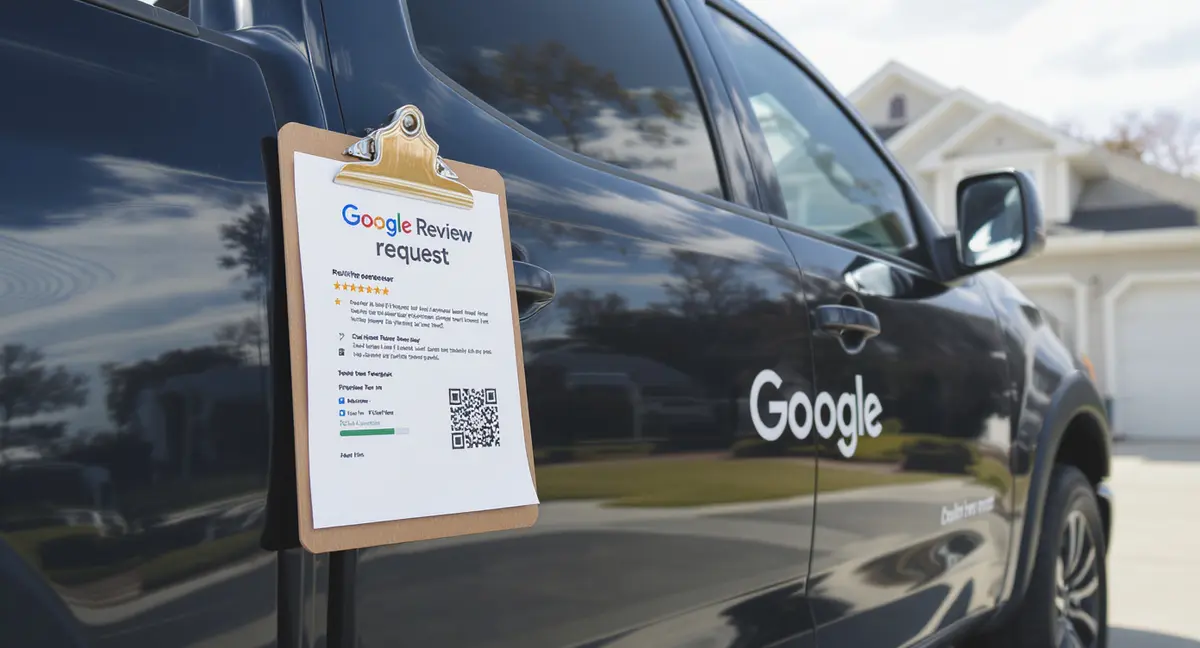
Most roofing companies lose 60-80% of their local visibility because they have fewer than ten Google reviews. When a homeowner searches "roofer near me," Google's algorithm prioritizes businesses with review volume, recency, and rating consistency. If your profile sits at three reviews from 2023, you are invisible. Learning how to get roofing reviews on Google is no longer optional, it is the difference between appearing in the local map pack or watching competitors take the lead. As AI-powered search tools like ChatGPT and Perplexity begin answering roofing questions directly, visibility in traditional Google results is no longer enough, which is why AI search optimization is becoming essential for roofing companies that want to appear when prospects ask conversational questions about contractors.
Google reviews drive more than trust. They are a confirmed ranking signal in local search algorithms. BrightLocal's 2024 Local Consumer Review Survey found that 87% of consumers read online reviews for local businesses, and 79% trust online reviews as much as personal recommendations. For roofing companies, that trust translates directly into phone calls and booked estimates. A business with 50+ reviews and a 4.7-star average will outrank a competitor with 8 reviews and a 5.0 rating, because Google's algorithm weighs volume and recency alongside star count.
This article walks through the complete system for how to get roofing reviews on Google: when to ask, what to say, how to send the link, how to respond, and how to build a repeatable process that runs without you. You will see the exact scripts, timing strategies, and tools that turn every completed job into a review opportunity. By the end, you will know how to install a review acquisition system that compounds your local visibility month after month.
Why Google Reviews Control Local Roofing Visibility
Google's local search algorithm uses three primary ranking factors: relevance, distance, and prominence. Prominence is where reviews live. According to Moz's 2024 Local Search Ranking Factors study, review signals, including quantity, velocity, and diversity, account for approximately 16% of how Google ranks local businesses. That makes reviews the third most influential factor after Google Business Profile completeness and on-page content.
When a homeowner searches "roof repair near me" or "storm damage roofer," Google's map pack displays three businesses. The algorithm prioritizes profiles with recent, consistent review activity. A roofing company that earns 4-6 reviews per month will outrank a competitor with higher overall star rating but no new reviews in six months. Recency signals that the business is active, reliable, and currently serving customers.
How Reviews Affect Map Pack Rankings
The local map pack appears above organic search results for 93% of local queries, according to BrightLocal. If you are not in the top three, you are functionally invisible to most searchers. Google's algorithm evaluates review count, average rating, review recency, keyword mentions in review text, and response rate when determining map pack placement.
A roofing company with 80 reviews, a 4.6-star average, and consistent monthly activity will almost always outrank a competitor with 15 reviews and a 5.0 rating. Why? Because Google interprets volume and velocity as proof of legitimacy. The algorithm assumes that businesses with steady review flow are established, trustworthy, and actively serving customers. Stagnant profiles, even with perfect ratings, signal inactivity or low transaction volume.
Review keywords also matter. When customers mention "roof replacement," "leak repair," or "insurance claim" in their reviews, Google indexes those terms and associates them with your profile. This strengthens your relevance for service-specific searches. Understanding how to get roofing reviews on Google means understanding that the content inside reviews matters as much as the star rating.
Reviews as Trust Signals in Roofing Sales
Roofing is a high-consideration purchase. Homeowners spend $8,000-$25,000 on a roof replacement, and they research extensively before making contact. Podium's 2024 State of Online Reviews report found that 93% of consumers say online reviews influence their purchasing decisions, and 68% are willing to pay more for a service from a business with positive reviews.
When a prospect reads 30+ reviews describing completed jobs, responsiveness, and clean-up quality, they pre-qualify your business before calling. That means warmer leads, shorter sales cycles, and higher close rates. Reviews do the selling before you pick up the phone. Negative reviews, or a lack of reviews, create friction. Prospects assume you are new, unreliable, or hiding something. In roofing, where trust determines conversion, reviews are the fastest path to credibility.
When to Ask for Google Reviews After a Roofing Job
Timing determines response rate. Ask too early, and the customer has not experienced the full result. Ask too late, and they have moved on. The optimal window for how to get roofing reviews on Google is 24-72 hours after job completion. At that point, the customer can see the finished roof, the site is clean, and the experience is still fresh. They are satisfied but not yet distracted by the next home project.
For planned roof replacements, the best moment is immediately after the final walkthrough. The crew has left, the dumpster is gone, and the homeowner is standing in the driveway looking at their new roof. That is when you hand them a printed card with a QR code linking directly to your Google review page. Say: "If you are happy with how everything turned out, we would appreciate a quick review. It helps other homeowners find us." Then leave. Do not hover.
Timing for Emergency and Storm-Damage Jobs
Emergency leak repairs and storm-damage jobs follow a different timeline. Customers are stressed, dealing with insurance, and focused on getting the problem fixed. Asking for a review while tarps are still on the roof feels tone-deaf. Wait until the permanent repair is complete and the insurance claim is settled. Then send a follow-up message: "Now that everything is wrapped up, we would love to hear how the process went for you."
For insurance-funded jobs, the review window opens after the final invoice is paid and the claim is closed. That might be 30-60 days after work completion. Use email or SMS to re-engage: "Your roof held up great through last month's storm. If you have a minute, we would appreciate a review about your experience working with us and your insurance company." The delay is necessary because asking too early, before insurance hassles are resolved, invites frustration into the review.
How to Build Review Requests Into Job Completion Workflows
Manual review requests fail because they depend on memory. The crew forgets to mention it. The office manager gets busy. Three months pass, and the customer has forgotten the details. The fix is to systematize the ask so it happens automatically. Use a CRM or job management platform to trigger a review request 48 hours after marking a job complete. Reviews are just one piece of a complete lead generation system, and if you want to turn visibility into booked jobs, you need to understand how to get more roofing leads across every channel that drives homeowner inquiries.
Set up a two-touch sequence: first, an SMS with a direct Google review link ("Thanks for trusting us with your roof! If you are happy with the work, we would appreciate a quick review: "). If no review appears within five days, send a follow-up email with the same link and a brief note. Two touches capture 60-70% of customers who intend to leave a review but need a reminder. One touch captures 30-40%. Zero touches capture almost nothing.
How to Ask Roofing Customers for Google Reviews
The way you ask determines the response rate. A vague request, "Leave us a review if you get a chance", generates almost no action. A specific, frictionless ask, "Scan this QR code and leave a quick review about your experience", converts 10-15x higher. Clarity and ease drive compliance. When learning how to get roofing reviews on Google, the ask itself is the most controllable variable.
The best in-person script is short and confident: "If you are happy with how everything turned out, we would appreciate a Google review. It helps other homeowners find us when they need a roofer." Then hand them a card with a QR code and your Google review link. Do not apologize. Do not say "if you have time." Confident, direct requests feel professional. Tentative requests feel needy.
SMS and Email Review Request Templates
Text messages outperform emails for review requests because they are immediate, personal, and mobile-friendly. BrightLocal's data shows that SMS review requests have a 45% open rate and a 15-20% conversion rate, compared to 20% open and 5-8% conversion for email. Send the SMS within 48 hours of job completion, when satisfaction is highest.
Effective SMS template: "Hi Strategyc, this is Strategyc from . Thanks for trusting us with your roof! If you are happy with the work, we would love a quick Google review. Just tap this link: . Takes 60 seconds. Thanks again!" Keep it under 160 characters if possible. Personalize the sender name, texts from "ABC Roofing" feel automated, texts from "Mike at ABC Roofing" feel human.
Email works as a follow-up or for customers who prefer it. Use a subject line like "How did we do on your roof?" and keep the body short. Include the Google review link twice: once in the opening paragraph and again in a button or highlighted link. Add a photo of the completed roof to jog their memory and reinforce satisfaction. Close with: "Your feedback helps other homeowners make confident decisions. We appreciate you."
Using QR Codes to Make Reviews Instant
QR codes eliminate the friction of typing a URL or searching for your business. Generate a QR code that links directly to your Google review page (not your main profile, the review submission page). Print it on job completion cards, invoices, vehicle magnets, and yard signs. When a customer scans the code, their phone opens the review form in one tap.
Place QR codes strategically: on the final invoice, on a thank-you card left at the job site, on the back of your business card, and on yard signs during the job. Yard signs are especially effective, neighbors see the sign, scan the code, and read your reviews before calling. The QR code turns passive signage into an active review-generation tool. Understanding how to get roofing reviews on Google means meeting customers where they are: on their phones, in the moment.
How to Create a Direct Google Review Link for Your Roofing Business
Sending customers to your Google Business Profile and expecting them to find the review button is a conversion killer. Most will not bother. A direct review link takes them straight to the submission form in one click. Google provides a place ID-based URL that bypasses all navigation. This is the single most important technical step in how to get roofing reviews on Google.
To create the link, open your Google Business Profile dashboard. Click "Get more reviews" in the left menu. Google will generate a short URL that looks like g.page/Strategyc/review. Copy that link and use it everywhere: SMS, email, QR codes, website, social media. When a customer clicks it, they land directly on the review form with a star rating selector and text box. No searching, no confusion.
Where to Display Your Google Review Link
Make the review link accessible at every customer touchpoint. Add it to your email signature. Include it in post-job follow-up messages. Print it on invoices and receipts. Embed it as a button on your website's contact page and thank-you page. Post it in your Facebook and Instagram bios. The more places the link appears, the more reviews you will collect.
For roofing companies with multiple service areas, use the same Google review link across all locations if you operate under one Business Profile. If you have separate profiles for different cities, generate a unique review link for each and use geo-targeted follow-ups. A customer in Dallas should receive the Dallas profile link, not the Houston one. Mismatched links dilute review volume across profiles and weaken local rankings.
How to Track Which Channels Generate the Most Reviews
Use UTM parameters or separate shortened links to track which channel, SMS, email, QR code, website, drives the most reviews. Create three versions of your Google review link using a URL shortener like Bitly: one for SMS, one for email, one for printed materials. Monitor click-through rates and conversion rates by channel. If SMS converts at 18% and email converts at 6%, double down on SMS and reduce email frequency. Reviews are just one piece of a complete lead generation system, and if you want to turn visibility into booked jobs, you need to understand how to get more roofing leads across every channel that drives homeowner inquiries.
Most roofing companies find that SMS and in-person QR codes generate 70-80% of reviews, with email and website links accounting for the rest. Knowing your conversion rates lets you allocate effort efficiently. If printed cards with QR codes convert at 12%, print more cards and train crews to hand them out consistently. Measurement turns guesswork into a system.
Ready to take the next step with Strategyc?
Our team is ready to help you achieve your goals. Get Your Free Scan.
What to Do When Customers Leave Negative Google Reviews
Negative reviews happen. A customer expected a same-day repair and you scheduled them three days out. A subcontractor left debris in the yard. A color mismatch upset them. According to BrightLocal, 89% of consumers read business responses to reviews, and 30% form their opinion based on how the business responds. A professional, solution-focused reply to a negative review can improve your reputation more than ten generic positive reviews.
Respond within 24-48 hours. Acknowledge the issue without making excuses. Apologize for the experience, explain what happened (briefly), and describe what you did or will do to fix it. Close by inviting them to contact you directly. Example: "We are sorry the cleanup did not meet your expectations. We have retrained our crew on site protocols and would like to send someone back to address any remaining debris. Please call us at so we can make this right."
How to Respond to Positive Google Reviews
Responding to positive reviews is as important as handling negative ones. Thank the customer by name, mention a specific detail from their review, and reinforce your value proposition. Generic responses, "Thanks for the review!", waste an opportunity. Specific responses show you read the feedback and care about the relationship.
Effective response template: "Thanks, Strategyc! We are glad the new shingles held up through last week's storm. Our crew takes pride in thorough cleanup, so it is great to hear that made a difference for you. If you ever need anything, we are just a call away." This response thanks the customer, references their specific comment (cleanup), and keeps the door open for future work. It also signals to future readers that you are attentive and detail-oriented.
When to Flag or Report Fake Reviews
Occasionally, competitors or disgruntled non-customers leave fake reviews. Google's review policy prohibits reviews from people who have not used the service. If you receive a review from someone you have never worked with, flag it through Google Business Profile. Click the three dots next to the review, select "Flag as inappropriate," and choose "Conflict of interest" or "Off-topic."
Google removes reviews that violate policy, but the process can take days or weeks. While you wait, respond publicly to the fake review with facts: "We have no record of working with you or visiting your address. If this is a case of mistaken identity, please contact us directly so we can clarify." This response signals to other readers that the review is suspect without sounding defensive. Do not engage in arguments or name-calling, Google may remove your response instead of the fake review.
How to Avoid Google Review Policy Violations
Google prohibits incentivized reviews, gated review requests, and review solicitation that conditions the ask on a positive experience. Violating these policies can result in review removal, profile suspension, or permanent delisting from local search. Knowing how to get roofing reviews on Google means staying within Google's guidelines while still asking consistently.
Never offer discounts, gift cards, or payments in exchange for reviews. Google's algorithm detects patterns of incentivized reviews and suppresses or removes them. A roofing company that offers $25 off the next service for a review will see those reviews disappear within weeks. The short-term bump is not worth the long-term penalty. Ask for reviews because the customer is satisfied, not because you are paying them.
Why Gated Review Requests Violate Google Policy
Gated review requests send happy customers to Google and unhappy customers to a private feedback form. This artificially inflates your Google rating by filtering out negative experiences. Google explicitly prohibits this practice. If your review request system asks "How was your experience?" and only sends 4-5 star responders to Google, you are violating policy.
The compliant approach is to send every customer the same Google review link, regardless of their satisfaction level. Yes, this means you will occasionally receive negative reviews. That is the trade-off for a legitimate, policy-compliant profile. Businesses with 100% five-star reviews often look suspicious to consumers anyway, BrightLocal found that 72% of consumers trust businesses more when they see a mix of positive and negative reviews.
How to Ask for Reviews Without Sounding Pushy
The line between persistent and pushy is tone. A confident, professional ask feels like a standard business practice. A desperate, apologetic ask feels uncomfortable. Frame the request as mutual benefit: "Your feedback helps other homeowners make confident decisions." This positions the review as helpful to the community, not just beneficial to you.
Send a maximum of two review requests per customer: one within 48 hours of job completion, one follow-up five days later if they have not responded. After two attempts, stop. Sending three, four, or five reminders crosses into harassment. Most customers who intend to leave a review will do so after the first or second ask. Those who ignore both requests either forgot or chose not to participate. Respect that boundary.
How to Integrate Google Reviews Into Your Website and Marketing
Google reviews should not live only on Google. Embedding them on your website, sharing them on social media, and featuring them in sales materials extends their value. A review that appears in three places, Google, your homepage, and a Facebook post, generates 3x the trust-building impact of a review that sits isolated on your Business Profile. Reviews are just one piece of a complete lead generation system, and if you want to turn visibility into booked jobs, you need to understand how to get more roofing leads across every channel that drives homeowner inquiries.
Use a review widget or plugin to display Google reviews on your website's homepage, service pages, and contact page. Tools like EmbedSocial, Elfsight, or Google's native review badge pull live reviews from your profile and display them in a carousel or grid. This keeps the content fresh and shows prospects that real customers endorse your work. Place the widget above the fold on your homepage and near the call-to-action on service pages.
How to Use Reviews in Roofing Sales Presentations
Print a one-page review sheet featuring 8-10 of your best Google reviews, organized by job type: roof replacement, storm damage, insurance claims, commercial work. Bring this sheet to in-home estimates. When the homeowner asks about your experience or reliability, hand them the sheet and say: "Here is what other homeowners in your area have said about working with us."
This tactic works because it provides third-party validation at the exact moment of decision. The homeowner is not taking your word for quality, they are reading the words of neighbors who hired you and were satisfied. Reviews convert better than testimonials because they are verified and unedited. Use this sheet to address objections before they are voiced. If prospects worry about cleanup, highlight reviews that mention thorough site cleanup. If they worry about communication, highlight reviews praising responsiveness.
How to Feature Reviews in Social Media and Email Marketing
Screenshot standout Google reviews and share them as Instagram posts, Facebook posts, and LinkedIn updates. Tag the customer if they are comfortable with it. Add a caption like: "Nothing makes us prouder than hearing we exceeded expectations. Thanks, Strategyc!" This content performs well because it is authentic, visual, and social-proof-driven. It also reminds your audience to leave their own review.
Include a rotating review quote in your email newsletter. Feature a different customer each month, along with a photo of their completed roof (with permission). Close with a line like: "Want to share your experience? Leave us a Google review here: ." This keeps reviews top-of-mind for past customers and shows current subscribers that you value feedback. Email is a low-pressure channel for review requests because it does not interrupt the customer's day.
The Bottom Line
Knowing how to get roofing reviews on Google is not about luck or hoping customers remember to write something. It is about installing a repeatable system that asks every satisfied customer at the right moment, using the right channel, with the right message. The businesses that dominate local roofing search in 2026 are not the ones with the best roofs, they are the ones with the most consistent review acquisition process.
Start with timing: ask within 48 hours of job completion. Use SMS and QR codes to eliminate friction. Send a direct Google review link, not a vague request. Respond to every review, positive and negative, within 48 hours. Build the ask into your job completion workflow so it happens automatically. Track which channels convert and double down on what works. Stay compliant with Google's policies. Embed reviews on your website and use them in sales presentations.
Reviews compound. Every new review strengthens your local ranking, builds trust with the next prospect, and makes the next review easier to earn. A roofing company that earns five reviews per month will have 60 new reviews by this time next year. That volume moves you from invisible to dominant in local search. The system works. The question is whether you will install it.
Frequently Asked Questions
How many Google reviews does a roofing company need to rank well locally?
There is no magic number, but data from BrightLocal shows that businesses in the top three map pack positions average 47+ reviews. Velocity matters more than total count, earning 4-6 reviews per month signals activity and relevance to Google's algorithm. Aim for consistent monthly growth rather than hitting a static target.
Can I delete negative Google reviews if they are unfair?
You cannot delete reviews unless they violate Google's content policy (fake, spam, conflict of interest, off-topic). Flag policy-violating reviews through your Business Profile. For legitimate negative reviews, respond professionally and offer to resolve the issue offline. A strong response often neutralizes the damage better than removal.
What is the best way to ask for Google reviews without annoying customers?
Ask once within 48 hours of job completion via SMS or in-person QR code. Send one follow-up five days later if they have not responded. After two touches, stop. Frame the request as helping other homeowners make decisions, not just boosting your rating. Confident, brief asks convert better than apologetic ones.
Should I respond to every Google review, even short ones?
Yes. Responding to every review, positive and negative, shows you value feedback and stay engaged with customers. Personalize each response by mentioning a specific detail from the review. Generic "Thanks!" replies waste an opportunity to reinforce your brand and signal attentiveness to future prospects reading your profile.
How do I build a review acquisition system I can own long-term?
Integrate review requests into your CRM or job management software so they trigger automatically 48 hours after job completion. Use a two-touch sequence: SMS with a direct Google review link, then email follow-up. Train your crew to hand out QR code cards at job completion. Track conversion rates by channel and optimize based on data. A system you own runs without relying on external agencies or monthly retainers.